
This article may contain affiliate links.
Ask any tire dealer who has tried to run a shop on general auto repair software, and you’ll hear some version of the same complaint: it was built for oil changes and brake jobs–and tires got wedged in wherever they’d fit. That gap shows up fast once the shop gets busy. A tire dealer isn’t ordering brake pads by part number. They’re tracking fitment by year, make and model, logging DOT numbers for every unit that goes on a customer’s car and running mounting, balancing, alignment and TPMS resets as separate jobs that all need to be scheduled, billed and tracked on their own. None of those lines up neatly with software built around a generic repair order.
Seasonal swap-outs add another layer that most repair-shop software never anticipated. Somebody has to know which set of winter tires belongs to which customer, where they’re stored and when to call about bringing them back in. None of that maps cleanly onto a system designed around generic repair orders and a one-size-fits-all parts catalog. A parts catalog built for filters and belts simply doesn’t have a place to put a tread-wear rating or a load index, and that’s before you get to inventory that needs to be tracked by size and brand rather than by a single SKU.
So what actually separates a platform built for tire dealers from one that’s merely tolerable? It comes down to six areas: tire catalog and inventory, work order and bay scheduling, digital inspections and TPMS tracking, customer retention, fleet account management and reporting. Below is a look at how some of the platforms tire dealers are actually using stack up in each of these areas.
Tire Catalog & Inventory Management
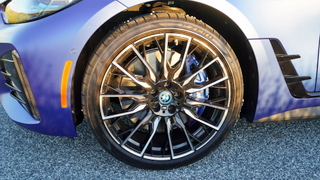
This is where the cracks in generic shop software show up first. A parts catalog built for brake pads and alternators has no real concept of fitment data by year, make and model, no field for DOT numbers and no way to organize inventory by tire size and brand rather than a single flat SKU list.
Add supplier ordering into the mix because the tire distributors have their own ordering quirks, minimum order thresholds and delivery windows that a general parts vendor integration was never designed to handle, and a system not built for tires starts creating manual workarounds almost immediately.
TireMaster
TireMaster has been the default choice for a lot of independent dealers for years, and it earned that position honestly. It handles DOT registration and fitment data well, and dealers who’ve used it for a decade generally trust it. The catch is that it’s still largely a desktop product, which limits how a shop can access it outside the counter.
AutoLeap
AutoLeap’s Tire Shop Suite takes a cloud-based approach to the same problem. The tire catalog carries fitment data by year, make and model, and it connects directly to supplier ordering, so a dealer isn’t jumping between a distributor portal and the shop system to check what’s actually available. Inventory tracking updates in real time by size and brand, which matters most during the seasonal rush when a dealer needs to know exactly what’s on the shelf without walking the aisle to check. Because it’s cloud-based, a shop owner can pull that same inventory view up from a phone while standing at a supplier’s counter, deciding whether to place an order.
Tire Guru
Tire Guru covers a lot of the same ground and does it thoroughly, but that thoroughness comes with a learning curve and a price tag that tends to fit larger, multi-location operations better than a single-location independent shop.
Work Order & Bay Scheduling
Mounting, balancing, alignment and TPMS resets aren’t line items on a generic repair order. They’re distinct jobs with their own labor times and their own bay requirements, and a scheduling system that treats them as one undifferentiated “tire service” line makes it hard to plan a busy day accurately. Real-time visibility into which bay is free and which technician is available becomes especially important during high-volume stretches like the fall and spring changeover rush.
AutoLeap
AutoLeap builds work orders around tire-specific job types, such as mounting, balancing, alignment and TPMS resets, which are each set up as their own billable line rather than folded into a single generic labor charge, so a shop can schedule and price them independently. The bay scheduling view updates in real time as jobs move through the shop, giving the front counter a live picture of which bays are open instead of a static appointment grid that goes stale by mid-morning.
Mobile access lets technicians update job status from the bay itself, so a tech finishing a balanced job can mark it complete and free up that slot without walking back to a terminal. That combination is what tends to matter most during a Saturday changeover rush, when a five-minute lag in the schedule can back up the whole lot.
ShopMonkey
ShopMonkey has a clean, modern interface and handles general auto repair scheduling well, which is why a lot of general shops that also sell tires stick with it. It does maintain a tire-focused page of its own, worth a look for shops that want to stay within a single, familiar system.
Shop-Ware
Shop-Ware is a capable cloud-based option for work orders generally, with a similar general-repair orientation. It gets the job done for shops that split their time between tires and everything else, without going deep on tire-specific scheduling.
Digital Vehicle Inspections & TPMS Tracking
A digital vehicle inspection built for general repair usually checks fluid levels and belts and calls it done. For a tire shop, the inspection needs to score tire condition, document tread depth with photos, and flag TPMS sensor status because that’s where the upsell opportunity and the comeback prevention actually live.
A customer who sees a photo of their tread wear is a lot more likely to approve a replacement than one who just hears about it over the phone.
AutoLeap
AutoLeap builds tire condition scoring directly into its DVI templates, so a technician working through an inspection is rating tread wear the same way they’d flag a worn belt or a leaking hose.
TPMS sensor tracking is folded into that same inspection workflow rather than living in a separate tool, which means a bad sensor gets caught and logged at the same time as everything else on the vehicle. Photo documentation of tread wear gets attached right to the inspection, so the conversation with the customer has something concrete behind it instead of a technician’s word alone. That documentation trail also gives the shop a record to point back to if a customer questions a recommendation months later.
BOLT ON
Bolt On is a well-established DVI platform used widely across auto repair shops, with solid photo and video capture built into the inspection flow. It’s a familiar tool for a lot of technicians, which can shorten the learning curve for a shop bringing on new hires.
AutoVitals
AutoVitals is another strong option in the DVI space, particularly known for its educational video capability that helps customers understand what a technician found. It integrates with a range of shop management systems as a standalone tool, so it can slot into an existing setup rather than replacing it outright.
Customer CRM & Retention
Tire shops run on a different retention rhythm than a general repair shop. There’s the seasonal changeover, the customer who dropped off a set of tires for storage back in October and needs a nudge in April, and the rotation interval that varies by mileage rather than by a fixed calendar date. Generic reminder tools built around oil-change intervals just don’t have a slot for any of that.
Tekmetric
Tekmetric is a capable CRM built for auto repair shops generally, with automated reminders, review management and campaign tools that work well for a shop that isn’t tire-specific. It’s a solid option for a shop that wants a single CRM to handle its full range of repair work, tires included, without needing tire-specific segmentation.
Autoflow
Autoflow offers smart automation for service reminders and keeps a record of customer history and priorities, which is useful groundwork even if it isn’t tailored to tire timing specifically. Shops using it for general repair work tend to like how it surfaces a customer’s service history automatically when they call in.
AutoLeap
AutoLeap’s retention tools are built around how tire dealers actually communicate with customers—seasonal swap reminders that go out ahead of the changeover rush, campaigns aimed at customers with tires still sitting in storage and rotation-due alerts tied to actual mileage intervals rather than a generic calendar reminder. It’s less about generic follow-up and more about hitting the specific moments that drive a tire customer back through the door. A dealer running seasonal storage, for instance, can trigger a retrieval campaign automatically instead of relying on someone at the counter to remember which customers have tires sitting in the back.
Fleet Account Management
Commercial tire service is a growth line for independent dealers willing to build the infrastructure for it, and fleet managers evaluating a shop want to see more than a friendly counterperson. They want multi-vehicle accounts, consolidated billing, service history tracked by vehicle and priority scheduling when a truck needs to be back on the road.
Tire choice and maintenance also feed directly into fleet operating costs; as covered in Clean Fleet Report‘s look at how quality tires affect fuel efficiency, rolling resistance and proper inflation have a measurable effect on a fleet’s fuel spend, which is exactly the kind of detail a good fleet module should be tracking alongside service history.
TireMaster
TireMaster handles basic fleet billing and multi-vehicle tracking well enough for smaller fleet accounts, using a fairly traditional approach that’s adequate without doing much beyond the basics. For a dealer with a handful of small commercial accounts, that traditional approach is often enough to get by on.
AutoLeap
AutoLeap’s fleet module goes further, with a dedicated fleet account setup that keeps a commercial customer’s vehicles grouped under a single profile rather than scattered across individual records. Multi-vehicle service history lives in one place, so a fleet manager calling to ask about a specific truck doesn’t require the shop to dig through separate work orders.
Commercial invoicing is designed for the way fleets actually pay, with consolidated billing cycles rather than a stack of individual receipts. Priority scheduling allows a shop to move a commercial vehicle to the front of the queue when a fleet manager needs a truck back on the road the same day. For a dealer trying to build out a serious commercial book of business, that combination is a more complete starting point than bolting fleet tracking onto a system that wasn’t designed for it.
Reporting & Business Visibility
A generic shop dashboard tracks revenue and labor hours, and that’s about it. A tire dealer needs more granular numbers, such as revenue per bay, which tire lines are actually selling by season, how fast inventory is turning and which job type is more profitable on a given day: a mount-and-balance, an alignment or a straight tire sale.
Tire Guru
Tire Guru’s reporting is built specifically around tire retail metrics, with sell-through rates and inventory turns that give a clear read on how product is moving. For a dealer focused primarily on retail tire sales rather than a broader service mix, those are exactly the numbers that matter most.
AutoLeap
AutoLeap’s dashboard casts a wider net, covering revenue by job type, seasonal performance trends, and profitability broken out by tire-specific service, giving a dealer a fuller operational picture rather than just the retail side of the business. That breakdown makes it easier to see, for example, whether alignments or straight tire sales are actually driving more margin in a given month, rather than just knowing overall revenue was up or down.
Putting It Together
Tire catalog and inventory, bay scheduling, digital inspections and TPMS tracking, customer retention, fleet accounts and reporting. Those are the six areas worth checking off before signing a contract with any shop management platform. A dealer who finds a system covering all six generally ends up relying less on side spreadsheets, standalone DVI tools, and manual fleet tracking to fill in the gaps.
The fewer workarounds a shop needs to run day to day, the more time is actually left for turning wrenches.
